
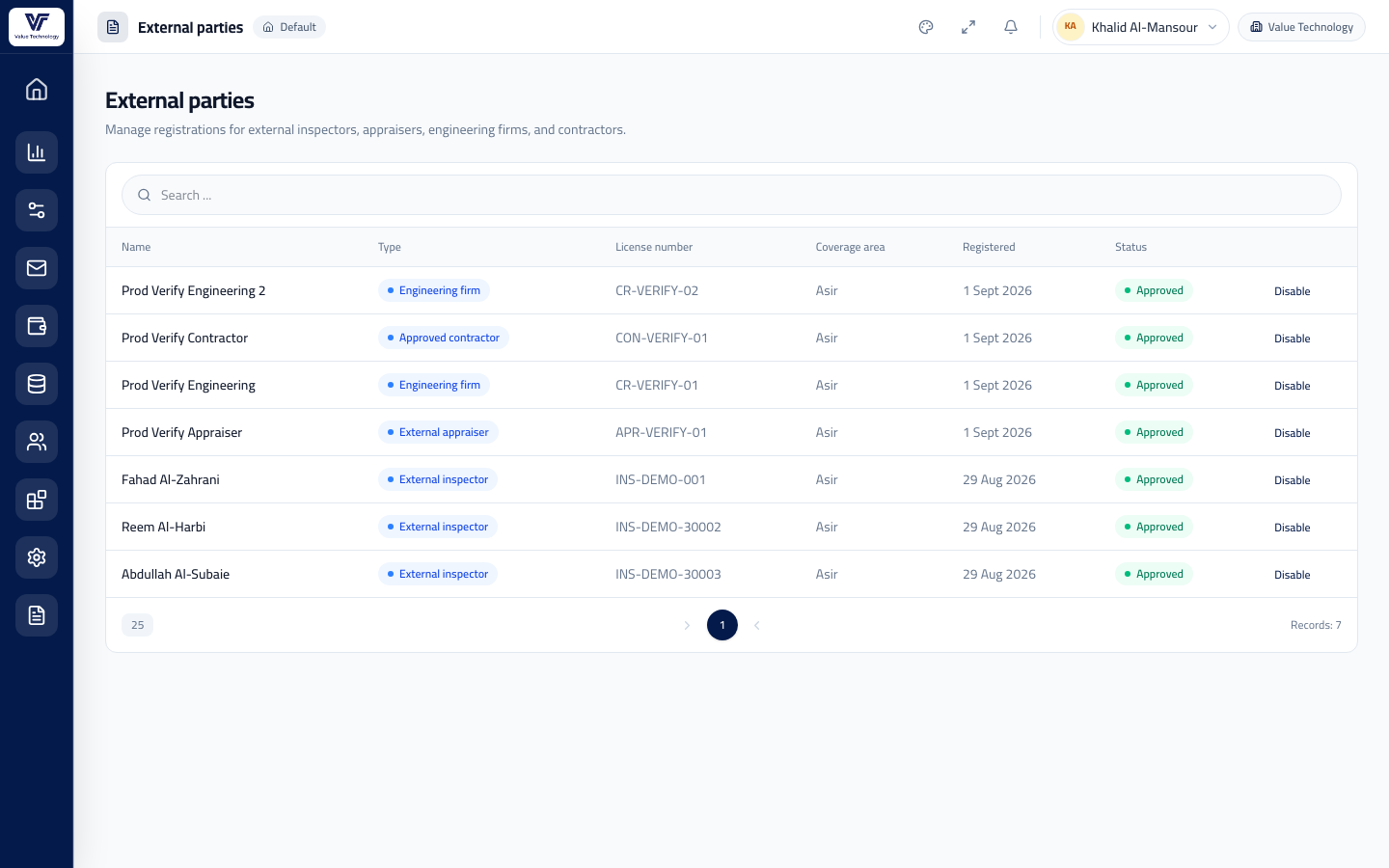
Approve registration
Accept, suspend, or reject an external account after reviewing license and coverage.
Inspectors, appraisers, engineering firms, and contractors register, get approved by your firm, then bid on jobs in their coverage regions.
Instead of manual coordination, each party sees open jobs in their coverage, submits an offer, and tracks status, reports, and dues from their own portal. Your firm approves registration and picks the best offer.
Bids on inspections in their coverage and completes the on-site visit page.
Requests accreditation with valuation firms and follows their own transactions — no public job board.
Receives assigned work and uploads the technical report on the file.
Uploads a damage report on linked transactions and follows their dues.
The party registers license and coverage; your firm approves or suspends the account.
The inspection appears to anyone whose coverage includes the property, with a suggested fee and SLA.
The offer is awarded, and the assignment is cancelled automatically if the party misses the deadline.
They upload the visit or report; both sides see status and dues in the portal immediately.
Accept, suspend, or reject an external account after reviewing license and coverage.
Manage accreditation firms and external appraisers' join requests.
License, coverage regions, and current workload for each inspector or collaborator.
Follow what each party is owed from accepted work — no side spreadsheets.
Field inspectors, external appraisers, engineering firms, and approved contractors — after your firm approves them.
No. The subscription sits on the valuation firm only; the portal is free for approved parties.
The job opens by coverage region, first accept wins, and the assignment is cancelled automatically if the deadline is missed.
From the admin console: review license and coverage regions, then accept, suspend, or reject the account.
In the financial ledger inside their portal, tied to accepted work — no WhatsApp or Excel side sheets.
We'll walk you through the console, the external portal, and the field app in one session.